Photo QR Code for Weddings & Baptisms
Every photo your guests took, in one album — without chasing them one by one on Viber.
How does a photo QR code work?
Your photographer covers the official moments, but the candid ones are on your guests' phones. With the My-Event QR code, each guest opens the event album from their phone camera and uploads photos and videos in seconds. No app and no account needed.
Put the QR code on the tables, on the printed card or on a welcome sign. Photos appear live as a slideshow at the reception, and afterwards you download them all at once.
What the guest gallery does
No app
Scan with the phone camera and the album opens in the browser, on iPhone and Android.
Photos and videos
Guests pick several files at once and upload them in one go.
Live reception slideshow
Open the slideshow on a screen or projector and new photos appear as they are uploaded.
Download everything
Download every photo in a single file instead of collecting them from dozens of chats.
Print-ready QR code
Put the QR code on your card with the card designer, or print it for the tables.
No extra charge
The album is part of the digital invitation: a one-time 39.90 € for everything.
In four steps

Create the event
The album's QR code is generated along with the invitation.
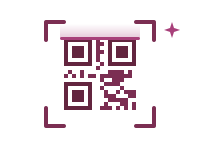
Print the QR code
On the card, the tables, the bar or a welcome sign.

Guests upload
They scan, pick photos and videos, and tap send.

Download it all
Every moment of the day in one place, ready to download.
How to collect as many photos as possible
Where to put the QR code
- a small card on every table
- a welcome sign at the entrance
- on the printed invitation, so guests have it in advance
- at the bar or next to the photo booth
Say it out loud
An announcement from the DJ or best man early in the evening brings in more photos than any sign. The live slideshow helps too: when guests see their photos on screen, they upload more.
One album with everyone's photos
One-time, for one event
Valid 12 months • No subscription • Unlimited guests
Create your event and the QR code is ready straight away.
Create your invitation