Digital Wedding Invitations
Every detail of your wedding, your guests' replies and the photos from the day — in one link.
What is a digital wedding invitation?
A My-Event wedding invitation is a personal page for your wedding that you send to guests over Viber, WhatsApp, Messenger or email. It holds the ceremony and reception venues with Google Maps, a countdown, your story, your best man and maid of honour, your gift list and an RSVP form where guests say whether they are coming.
You do not have to give up paper. Many couples send the digital invitation to everyone and print a few cards for older relatives. The My-Event card designer exports a print-ready PDF with your page's QR code on the card.
What the wedding invitation includes
Ceremony, reception & map
Times and places for the ceremony and reception, with Google Maps so nobody gets lost, and an add-to-calendar button.
RSVP with menu choice
Guests say whether they will attend the ceremony, the reception or both, how many adults and children, which dish they want and any allergies.
Guest list in Excel
See replies in real time and download the list to Excel with totals per dish — exactly what the venue asks for.
Families, witnesses & your story
Parents and witnesses with photos, your story, and a countdown to the day.
Gift list & useful info
A gift list and a section for useful information such as accommodation, parking or dress code.
Photos by QR code
Guests scan a QR code and upload their photos from their phone. They play live at the reception and you download them all at once.
From set-up to the wedding day

Build the page
Add the date, ceremony and reception, upload photos and pick a theme and colours.
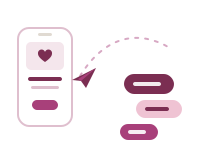
Send it
Share the link in one tap on Viber, WhatsApp or Messenger, with a ready-made invitation message.
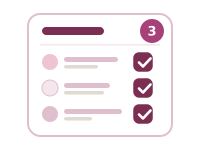
Collect replies
Replies land in your guest list on their own. Set a deadline and the form closes automatically.

On the day
Guests upload photos from the QR code and the slideshow shows them live at the reception.
A guide to the wedding invitation
What a wedding invitation should say
- the couple's names (and often the parents')
- the date and time of the ceremony
- the church or civil ceremony venue
- the reception venue and time
- the date guests should reply by
A digital invitation also fits what a card cannot: a map, a gift list, travel and accommodation tips.
When to send wedding invitations
Usually 6 to 8 weeks before the wedding, or 3 to 4 months ahead for a destination wedding, so guests can book travel. Set the RSVP deadline 2 to 3 weeks before the day — about when the venue needs final numbers.
Digital or printed?
Digital arrives instantly, updates if anything changes and collects replies by itself. Print still matters to some relatives. You do not have to choose: print a few cards with your page's QR code and send the link to everyone else.
Start your wedding invitation
One-time, for one event
Valid 12 months • No subscription • Unlimited guests
Build the page in a few minutes and pay once, when you are ready to send it.
Create your invitation